


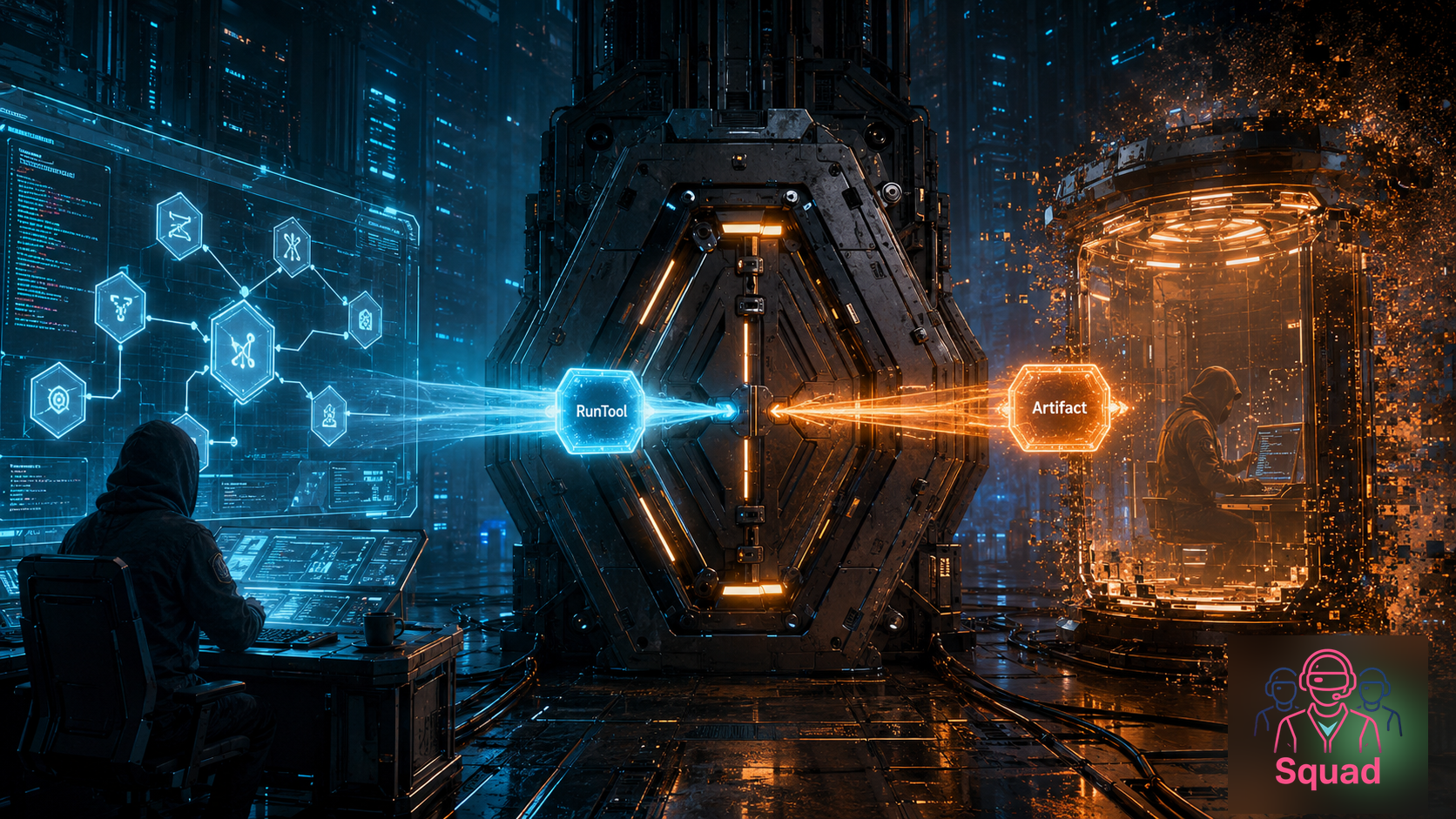
In the previous post, I put Squad behind a deterministic LangGraph node.
That solved one problem and immediately exposed the next one. Which is how architecture usually behaves when it is trying to be helpful.
The graph can be deterministic. The state can be typed. The squadTechDesign node can have one clean input and one clean output. Everybody can feel very responsible for about twelve minutes.
Then somebody asks the dangerous question:
Where do the tools actually run?
Because a Squad that only writes a design document is useful. A Squad that can run tests, inspect a repo, execute a script, generate artifacts, call CLIs, and validate its own work is much more useful. It is also much more exciting in the same way that giving a toddler a permanent marker is exciting. You may get art. You may also get a new couch.
So Part 2 is about the sandbox.
Not the whole Squad runtime. Not the entire production control plane. Not a magical “put AI in a container and now security is solved” sticker. The pattern I am exploring is narrower and more practical:
Keep the application and Squad control plane in the app. Run risky tool execution in Azure Container Apps Dynamic Sessions. Bring the artifact back into graph state.
This also lands in a nice moment. At Build 2026, Microsoft put agent containment directly in the platform story with the Microsoft Execution Containers SDK: policy-driven execution boundaries for agents on Windows and WSL. That is the local/runtime side of the sandboxing story. Foundry Hosted Agents are the managed cloud agent-runtime path: Microsoft runs more of the agent host for you, including per-session VM-isolated sandboxes, state persistence, lifecycle, and observability. And Azure Container Apps now has two sandbox-shaped primitives that are easy to confuse if you read the docs too quickly after coffee: Dynamic Sessions for managed, request-routed, ephemeral execution through a session pool endpoint, and ACA Sandboxes for programmable, stateful isolated compute that you control more directly.
I am using Dynamic Sessions here because the sample needs a very specific shape: one approved tool call, a short-lived worker contract, and one artifact coming back into graph state. I do not need a persistent workspace yet. I need a clean seam.
To be precise, I am not claiming Azure Container Apps Dynamic Sessions were announced at Build. I am saying the broader platform direction is now very clear: agents need places to run tools safely, and the sandbox boundary is part of the architecture, not an implementation detail we hide under the rug and hope the security review does not notice.
That boundary matters.
TL;DR: Control Plane vs. Sandbox Plane
The pattern is a split-brain architecture, but in the good way, not the “why is production writing to two databases” way.
The control plane stays in the app. LangGraph owns the workflow. Squad owns the technical judgment. The app owns authentication, authorization, policy, tool allowlists, retries, graph state, and artifact validation.
The sandbox plane runs the dangerous work. Azure Container Apps Dynamic Sessions provide fast, ephemeral, isolated execution environments through session pools. The app sends a specific tool execution request to a session, the worker produces an artifact, and the graph stores that artifact as state.
The shape looks like this:
1
2
3
4
5
6
7
8
9
10
11
12
13
coordinator app / LangGraph / Squad
        |
        |  approved tool request
        v
ACA Dynamic Sessions session pool
        |
        |  per-run custom container session
        v
sandbox worker executes the risky step
        |
        |  structured artifact
        v
graph state / design package / next node
That is the whole thesis.
The app remains the brain. The session is the blast-radius boundary.
What Azure Container Apps Dynamic Sessions Are
Azure describes Dynamic Sessions as fast access to secure sandboxed environments for code or applications that need strong isolation from other workloads. The official docs call out interactive workloads, LLM-generated scripts, and secure execution of custom code as common scenarios.
The important primitive is the session pool. A pool keeps prewarmed, ready-to-use sessions so a request can be allocated quickly instead of waiting for a brand-new container from cold start. Microsoft documents this as near-instant startup, with sessions allocated from ready pools and automatically cleaned up after use or after a cooldown period.
A session is the actual execution environment. It is ephemeral and isolated. Requests include an identifier so the pool can route a call to the right session or allocate a new one. When requests stop and the cooldown period expires, the session is destroyed and resources are cleaned up.
The docs also split the world into two pool types:
- Code interpreter session pools — built-in environments for running code, including AI-generated scripts. These are useful when you want a preconfigured interpreter without building your own image.
- Custom container session pools — bring-your-own-container environments for workloads that need custom libraries, tools, runtimes, or protocols.
For generic “run this Python snippet” scenarios, code interpreter sessions are attractive because they are simple. For Squad, I think custom container sessions are the more interesting path.
A Squad sandbox worker is not just a Python REPL. It may need git, gh, Node.js, .NET, repo-specific test tools, a tiny HTTP API, artifact packaging, policy checks, and a very boring but very important contract for what goes in and what comes out. The Dynamic Sessions docs say custom container sessions are for workloads that need a custom runtime, libraries, binaries, specialized tools, or full control over the environment. That is basically a description of a Squad tool worker wearing a fake mustache.
Custom container sessions also let the container expose the HTTP endpoints the app needs. In the sample, the worker keeps the contract intentionally tiny:
GET /healthreturns{ "ok": true, "service": "squad-aca-dynamic-sessions-worker" }.POST /runaccepts one approvedanalyzeSignalsrequest and returns one structured artifact.
That is it. No open shell. No “please run whatever the model invented after lunch.” Just a boring HTTP worker behind a sandbox boundary, which is exactly the kind of boring I want near production systems.
Sources:
- Dynamic sessions in Azure Container Apps
- Use session pools in Azure Container Apps
- Serverless code interpreter sessions in Azure Container Apps
- Azure Container Apps custom container sessions
- Azure Container Apps sandboxes overview
- What are hosted agents?
- Windows platform security for AI agents
Naming Note: Dynamic Sessions Are Not ACA Sandboxes
There is one naming trap worth calling out before we go any further: Azure Container Apps Dynamic Sessions are not the same thing as ACA Sandboxes.
ACA Sandboxes are a separate preview, first-class Azure Container Apps resource type: Microsoft.App/SandboxGroups. They sit alongside apps, jobs, and dynamic sessions. The Sandboxes overview describes a very tempting bag of capabilities: sub-second startup, strong isolation, scale-to-zero, OCI container image support, suspend and resume, snapshots, lifecycle control, volumes, file and port controls, policy controls, and stateful execution.
Dynamic Sessions are a different primitive. They give you HTTP request routing through a session pool endpoint. The pool manages lifecycle. The sessions are ephemeral. There is no persistent storage. That is exactly why they fit this sample: the app sends one approved request to /run, gets one artifact back, and the graph moves on with its life.
The shortest version is:
- Dynamic Sessions are best when I want a managed execution experience that abstracts the infrastructure: route this request to an isolated short-lived session and clean it up.
- ACA Sandboxes are best when I want programmable control over isolated compute with state persistence: create it, control files and ports and policy, suspend it, resume it, snapshot it, and treat it more like a workspace.
ACA Sandboxes are also preview, so I am treating the APIs and CLI as moving parts, not granite tablets delivered from Redmond.
This post is about Dynamic Sessions. Sandboxes matter, but they are not what the sample uses.
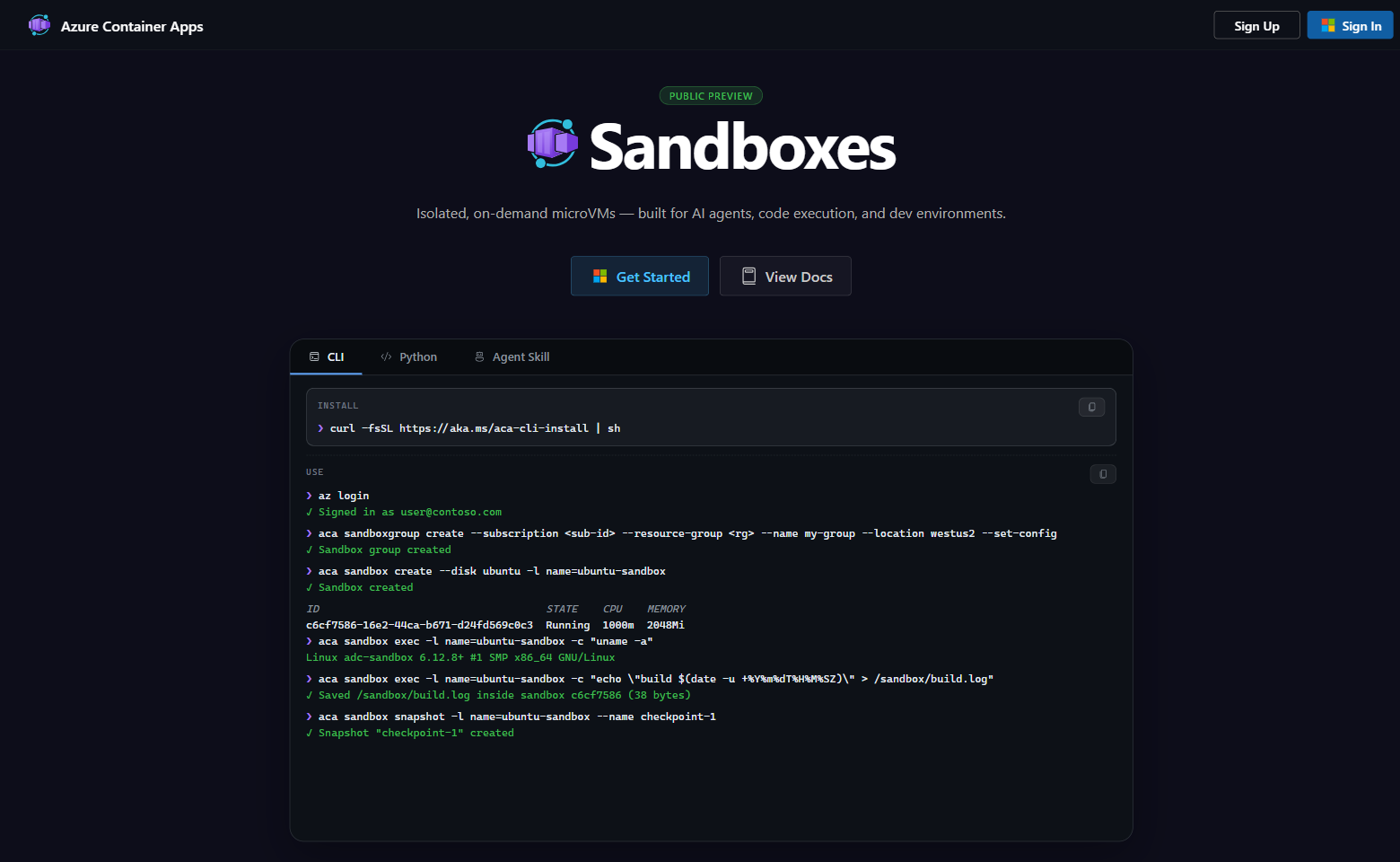
The screenshot above is from the public Sandboxes preview page. It is not my live sandbox group. I like it here because it shows the taxonomy problem visually: Sandboxes are their own thing, with their own CLI, lifecycle, snapshots, and workspace-shaped mental model.
Why Not Just Use Regular Container Apps, Jobs, or ACA Sandboxes?
Regular Azure Container Apps are great when you have a long-running service. Azure Container Apps jobs are great when you have finite containerized tasks that run and stop, triggered manually, on a schedule, or by events.
That is useful compute. It is not quite the same shape as per-request sandboxing.
For Squad tool execution, I want something closer to this:
- A request arrives with a specific run identifier.
- The app routes that one approved tool call into an isolated environment.
- The environment has the exact tools needed for that class of work.
- The session is short-lived.
- The artifact comes back.
- The worker goes away.
Could I build something like that on regular Container Apps or jobs? Sure. Given enough glue code, caffeine, and regret, most things are possible.
But Dynamic Sessions give me the primitive I actually want: session pools, prewarmed environments, session identifiers, automatic lifecycle cleanup, optional egress control, and isolation boundaries designed for running untrusted or risky code.
Jobs still have a place. I would use jobs for batch maintenance, scheduled sweeps, long-running offline processing, or background workflows where the unit of work is a job execution. I would use regular Container Apps for the coordinator app, API, dashboard, queue consumer, or anything that is part of the stable control plane.
ACA Sandboxes are tempting for a future version of Squad. Very tempting. A persistent isolated workspace with suspend/resume, snapshots, volumes, files, ports, policy, and lifecycle control sounds like the place where long-lived repo checkouts, resumable tasks, and build caches might eventually live. That is not this sample. This sample is intentionally smaller: approve one tool call, run one short-lived worker contract, return one artifact, and let LangGraph keep the durable state. If I used Sandboxes here, I would be proving a different pattern.
I would use Dynamic Sessions for the step where I look at the system and say, “This tool call should not run inside the same process that owns my graph state.”
That sentence is doing a lot of work.
Sources:
The Architecture I Want
Here is the architecture in more concrete terms.
1
2
3
4
5
6
7
8
9
10
11
12
13
14
15
16
17
18
19
20
21
22
23
24
25
26
27
28
29
30
31
32
33
34
35
36
37
38
39
40
41
42
┌──────────────────────────────────────────────────────┐
│ Coordinator app                                      │
│                                                      │
│  LangGraph state machine                             │
│  Squad coordinator / custom agent boundary           │
│  tool policy + allowlist                             │
│  auth, quotas, session-id creation                   │
│  artifact validation                                 │
└──────────────────────┬───────────────────────────────┘
                       │
                       │ POST /run?identifier=run-123
                       │ approved tool request only
                       ▼
┌──────────────────────────────────────────────────────┐
│ ACA Dynamic Sessions pool                            │
│                                                      │
│  prewarmed custom container sessions                 │
│  egress disabled unless explicitly required          │
│  per-run session identifiers                         │
│  idle cooldown / lifecycle cleanup                   │
└──────────────────────┬───────────────────────────────┘
                       │
                       ▼
┌──────────────────────────────────────────────────────┐
│ Squad sandbox worker                                 │
│                                                      │
│  receive one approved analyzeSignals request         │
│  run deterministic worker logic                      │
│  emit structured artifact response                   │
│  exit / wait for cleanup                             │
└──────────────────────┬───────────────────────────────┘
                       │
                       │ artifact manifest
                       ▼
┌──────────────────────────────────────────────────────┐
│ Graph state                                          │
│                                                      │
│  tool result                                         │
│  artifact URI/hash                                   │
│  logs summary                                        │
│  next deterministic or Squad node                    │
└──────────────────────────────────────────────────────┘
The most important line in that diagram is not the pool. It is approved tool request only.
The sandbox should not be an escape hatch where the model gets to improvise infrastructure. The app decides which tool is allowed, with which arguments, under which identity, for which run. Squad can recommend an action. The graph can decide whether that action is allowed. The sandbox executes the approved action and returns evidence.
That evidence should be boring and structured. In the sample, the request into the sandbox looks like this:
1
2
3
4
5
6
7
8
9
10
11
12
13
14
15
16
{
  "sessionId": "demo-fictional-tenant",
  "task": {
    "kind": "analyzeSignals",
    "input": {
      "tenantId": "fictional-northwind",
      "product": "Northwind Field Copilot",
      "region": "west europe",
      "signals": [
        "Pilot users report slow dashboard refresh during morning shift.",
        "Two signup teams showed strong adoption interest.",
        "One integration failed after a timeout in the simulated CRM connector."
      ]
    }
  }
}
And the worker returns this shape:
1
2
3
4
5
6
7
8
9
10
11
12
13
14
15
16
17
18
19
20
21
{
  "ok": true,
  "artifact": {
    "artifactId": "artifact-demo-signal-review",
    "taskKind": "analyzeSignals",
    "product": "Northwind Field Copilot",
    "region": "west europe",
    "riskScore": 96,
    "findings": [
      { "label": "latency", "count": 2, "severity": "medium" },
      { "label": "reliability", "count": 1, "severity": "high" },
      { "label": "adoption", "count": 2, "severity": "low" }
    ],
    "recommendedNextStep": "Escalate to Squad review with a reliability owner.",
    "generatedAt": "2026-01-01T00:00:00.000Z"
  },
  "runtime": {
    "mode": "worker",
    "sessionId": "demo-fictional-tenant"
  }
}
For this sample, the artifact is returned inline so the graph can attach it directly to state. In a production version I would almost certainly persist the artifact, hash it, size-limit it, schema-validate it, and store only a controlled reference in graph state. But I like that the demo starts with the contract before the storage ceremony. First make the boundary visible. Then make it durable.
I like this because it keeps the same principle from Part 1:
The graph owns the process. Squad owns the judgment. Code owns the mechanical rules. The sandbox reduces the blast radius of risky execution.
Code Interpreter vs. Custom Container Sessions
This is the part where the product naming matters.
Code interpreter sessions are very good for the thing they are named after: running code in a built-in interpreter environment. The docs call them ideal for AI-generated code, user-submitted scripts, educational sandbox scenarios, and isolated execution of user code. You do not need to build an image. You get a managed API surface for code execution and files.
That is exactly what I would choose for a product feature like “let users run a Python snippet against this CSV.”
A Squad sandbox worker is different.
For Squad, I want the sandbox image to be part of the system contract. I want to pin tool versions. I want to decide whether the image includes Node.js, .NET, git, gh, test runners, linters, security scanners, or a small worker API. I want startup and liveness probes. I want the worker to emit logs to stdout/stderr so Azure Monitor can collect them. I want the interface to be boring enough that the control plane can validate it.
The custom container docs are explicit that custom containers are for tailored environments, isolated execution, AI agents, development environments, and cases where you need full control over the interpreter environment. They also support custom endpoints, container probes, logs, and metrics for session pools.
So my rule of thumb is:
- Use code interpreter sessions when the workload is “run this code snippet in a managed interpreter.”
- Use custom container sessions when the workload is “run this Squad-specific tool worker with pinned dependencies and a contract.”
The second one is the path I care about here.
Security Model and Caveats
This is the section that should prevent future-me from over-selling the pattern.
Dynamic Sessions give us a useful isolation boundary. Microsoft documents Hyper-V isolation, sessions isolated from each other and from the host environment, optional network controls, and automatic cleanup. That is a strong starting point for risky tool execution.
But a sandbox is not a moral force. It does not make bad tool policy good. It does not make secrets safe if you put them inside the container. It does not validate artifacts for you. It does not know whether a model-requested command is sensible.
The session pool docs are very direct about this: if a session runs untrusted code, do not include information or data you do not want that code to access. Assume the code is malicious and has full access to the container, including environment variables, secrets, and files.
That single sentence should be printed on a sticker and attached to every agent platform design review.
So the security model I want is layered:
1. The app owns authorization. A user or tenant gets only their own run. The session identifier is sensitive, and the docs explicitly warn that applications must ensure users or tenants only access their own sessions.
2. The graph owns tool policy. The model does not get an open shell because it asked politely. Tool names, arguments, timeouts, resource limits, and output formats are controlled by code.
3. The session owns isolation. The risky execution happens in an ephemeral, isolated session. Egress starts disabled unless the specific scenario requires it. If egress is enabled, treat it as a real risk because the docs warn that internet access from untrusted code can be abused.
If managed identity is enabled inside a session, assume code in that session can request tokens available to that identity. Keep it disabled unless the worker actually needs it, and scope any identity narrowly.
4. The worker owns evidence. The worker emits logs and artifacts. It does not silently mutate the control plane. It returns a manifest.
5. The app validates the artifact. Hash it. Size-limit it. Schema-validate it. Store it somewhere controlled. Then, and only then, let the next graph node consume it.
This is not “trust the sandbox.”
It is trust the boundary enough to reduce blast radius, then verify everything that crosses back.
Sample Walkthrough
The companion sample is here:
https://github.com/tamirdresher/squad-aca-dynamic-sessions
The important implementation details are concrete now. I validated the sample as a working companion implementation, not just as a diagram with aspirations and a nice haircut.
The walkthrough shows the smallest useful path:
- Start the coordinator app.
- Create or configure a custom container session pool.
- Submit a Squad request that requires risky tool execution.
- Watch the app approve a specific tool call.
- Send the tool call to a session using a run-scoped identifier.
- Run the tool inside the custom container worker.
- Emit an artifact manifest.
- Attach the artifact to graph state.
- Continue the deterministic workflow.
The local demo does not require Azure:
1
2
3
4
npm ci
npm test
npm run build
npm run demo
In local mode, the workflow uses LocalSandboxClient. That client simulates the same /run worker API contract in-process, which lets the demo prove the graph boundary and artifact shape without needing an Azure subscription in the loop.
The demo output is:
1
2
3
4
5
6
7
8
9
Squad ACA Dynamic Sessions demo
Workflow: intakeNormalize -> decideSandbox -> runSandboxedTool -> squadReviewArtifact -> assembleResult
Mode: local
Session identifier: demo-fictional-tenant
Artifact: artifact-demo-signal-review
Risk score: 96/100
Findings: latency:2, reliability:1, adoption:2
Review: code + security checks approved
Summary: Squad reviewed Northwind Field Copilot in west europe: risk 96/100.
The graph shape is intentionally small:
1
2
3
4
5
intakeNormalize
  -> decideSandbox
  -> runSandboxedTool
  -> squadReviewArtifact
  -> assembleResult
The runSandboxedTool node sends this approved task:
1
2
3
4
5
6
7
8
9
10
11
12
13
14
15
16
{
  "sessionId": "demo-fictional-tenant",
  "task": {
    "kind": "analyzeSignals",
    "input": {
      "tenantId": "fictional-northwind",
      "product": "Northwind Field Copilot",
      "region": "west europe",
      "signals": [
        "Pilot users report slow dashboard refresh during morning shift.",
        "Two signup teams showed strong adoption interest.",
        "One integration failed after a timeout in the simulated CRM connector."
      ]
    }
  }
}
The artifact is then attached to graph state and reviewed by Squad:
1
2
3
4
5
6
7
8
9
10
11
12
13
14
15
16
17
18
19
20
21
22
23
24
25
26
27
{
  "artifact": {
    "artifactId": "artifact-demo-signal-review",
    "taskKind": "analyzeSignals",
    "product": "Northwind Field Copilot",
    "region": "west europe",
    "riskScore": 96,
    "findings": [
      { "label": "latency", "count": 2, "severity": "medium" },
      { "label": "reliability", "count": 1, "severity": "high" },
      { "label": "adoption", "count": 2, "severity": "low" }
    ],
    "recommendedNextStep": "Escalate to Squad review with a reliability owner.",
    "generatedAt": "2026-01-01T00:00:00.000Z"
  },
  "review": {
    "approved": true,
    "reviewers": ["code-check", "security-check"],
    "notes": [
      "The code reviewer verified the deterministic artifact.",
      "Security review requests tenant/session isolation review before production use."
    ]
  },
  "result": {
    "summary": "Squad reviewed Northwind Field Copilot in west europe: risk 96/100."
  }
}
The Azure path is also implemented, and I validated it against a real Azure Container Apps Dynamic Sessions custom container session pool. The validation used a disposable resource group, a worker image built into Azure Container Registry, managed identity-based ACR pull, egress disabled, and a short-lived opaque session identifier.
Azure mode uses AzureDynamicSessionsClient, DefaultAzureCredential, and the Dynamic Sessions token scope:
1
https://dynamicsessions.io/.default
It builds a request to:
1
{ACA_SESSION_POOL_ENDPOINT}/run?identifier={ACA_SESSION_IDENTIFIER}
and sends the approved task with:
1
2
Authorization: Bearer <token>
Content-Type: application/json
To run that path, the sample expects:
1
2
3
4
export SANDBOX_MODE=azure
export ACA_SESSION_POOL_ENDPOINT="https://<pool>.<environment-id>.<region>.azurecontainerapps.io"
export ACA_SESSION_IDENTIFIER="<opaque-high-entropy-run-or-conversation-id>"
npm run demo
If ACA_SESSION_POOL_ENDPOINT or ACA_SESSION_IDENTIFIER is missing, the client fails before making a network call. The identifier should be generated by the app as an opaque, high-entropy, tenant/run-scoped value. Do not use email addresses, tenant names, sequential IDs, or values controlled by the end user. I appreciate this because I have personally lost enough time debugging “helpful” clients that discover configuration problems only after they have already wandered into the network like a confused ensign.
The worker container exposes:
1
2
GET  /health
POST /run
And the session pool starter script uses a custom container pool, not a regular Container App:
1
2
3
4
5
6
7
8
9
10
11
12
13
14
15
16
az containerapp sessionpool create \
  --name <SESSION_POOL_NAME> \
  --resource-group <RESOURCE_GROUP> \
  --environment <ENVIRONMENT_NAME> \
  --container-type CustomContainer \
  --image <ACR_LOGIN_SERVER>/squad-aca-dynamic-sessions-worker:<TAG> \
  --registry-server <ACR_LOGIN_SERVER> \
  --registry-identity <USER_ASSIGNED_MANAGED_IDENTITY_RESOURCE_ID> \
  --cpu 0.25 \
  --memory 0.5Gi \
  --target-port 8080 \
  --cooldown-period 300 \
  --network-status EgressDisabled \
  --max-sessions 10 \
  --ready-sessions 1 \
  --location <LOCATION>
The important part here is the registry identity. I used a user-assigned managed identity with AcrPull on the registry, not a registry password pasted into a shell. That is not me being fancy. That is me trying to avoid future-me finding credentials in command history and quietly walking into the sea.
The important knobs for this story are --container-type CustomContainer, --target-port 8080, --network-status EgressDisabled, --max-sessions 10, and --ready-sessions 1. They show the shape I care about: a prewarmed custom worker, reachable through the session pool, with outbound network access disabled by default.
What I do not want this sample to pretend:
- That ACA Dynamic Sessions host the entire production Squad runtime.
- That the sandbox replaces the app’s policy layer.
- That running in a container automatically makes arbitrary tool execution safe.
- That a sample is a production security architecture.
The honest version is better: the sample demonstrates the seam.
What We Tested / What I Would Harden Next
Here is the current status.
Tested and grounded so far:
- Dynamic Sessions are a real Azure Container Apps feature for fast, sandboxed, isolated environments.
- ACA Sandboxes are a distinct Azure Container Apps preview resource type, not a new name for Dynamic Sessions.
- Session pools provide prewarmed sessions, session identifiers, lifecycle cleanup, and management endpoints.
- Dynamic Sessions support both code interpreter pools and custom container pools.
- Custom container sessions are the better fit for a Squad-specific sandbox worker because they allow a custom image, custom dependencies, custom endpoints, probes, logs, and metrics.
- The sample intentionally uses Dynamic Sessions, not ACA Sandboxes.
- Azure Container Apps jobs are real and useful for finite containerized tasks, but they are not the same primitive as per-run session allocation from a prewarmed sandbox pool.
- Security caveats are real: do not put secrets or sensitive data in the session environment, treat session identifiers as sensitive, and be careful with egress.
- Local validation passed
npm ci,npm testwith 4 tests,npm run build,npm run demo, andnpm audit --audit-level=moderate. - The local demo produced the deterministic workflow and artifact shown above.
- The Azure client path is implemented with
DefaultAzureCredential, thehttps://dynamicsessions.io/.defaulttoken scope, requiredACA_SESSION_POOL_ENDPOINT, requiredACA_SESSION_IDENTIFIER,/run, theidentifierquery parameter, and a bearer token. - Live Azure Dynamic Sessions validation passed against a real custom container session pool: direct
POST /runreturned the deterministic demo artifact, risk96, findingslatency:2, reliability:1, adoption:2, runtime modeworker. - The sample also ran end-to-end in Azure mode with
npm run demo -- --azure, printingMode: azure, a redacted session identifier, and the same artifact/risk result. - Live ACA Sandboxes preview validation also passed separately: I created a real
Microsoft.App/sandboxGroupssandbox group, created Ubuntu sandboxes, executedecho hello-from-aca-sandbox && uname -a/echo visible-aca-sandbox && uname -a, and got exit code0.
What I would harden next:
- The failure-mode story: timeout, non-zero exit, oversized artifact, invalid manifest, and exhausted session pool.
- Future evaluation of ACA Sandboxes for persistent Squad workspaces, long-lived repo checkouts, resumable tasks, and build caches.
- A final pass over sample links, screenshots, and wording once the companion repo is ready for readers.
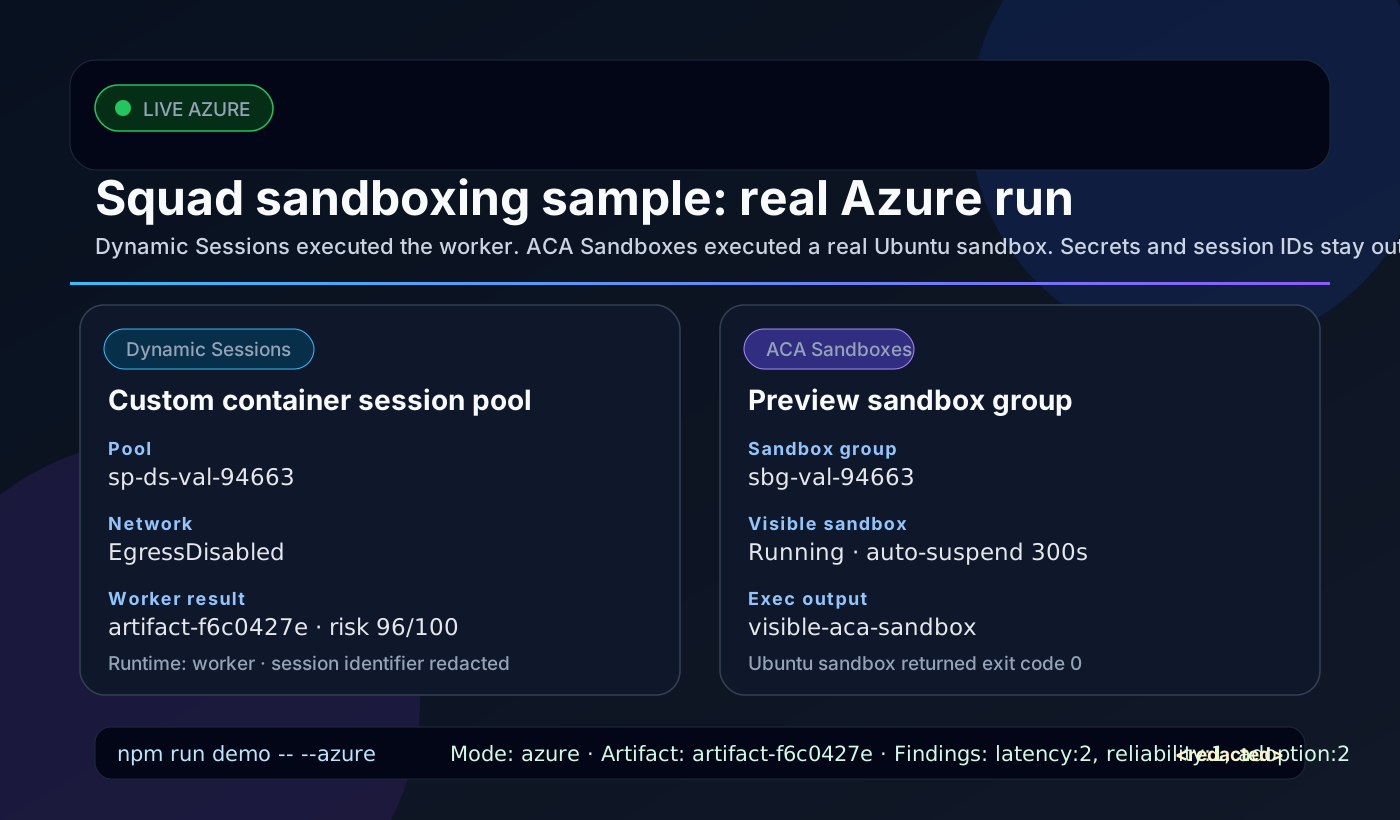
That is the sanitized proof card. The useful part is that the worker actually ran through a real Dynamic Sessions pool and a separate ACA Sandbox actually executed a command.
Even with those caveats, this is now more than an architecture sketch. It is a pattern I can hand to another team and say: “Here is where the dangerous part goes.”
That is the part I care about.
Because deterministic orchestration is only half the story. The other half is deciding what happens when your AI team needs hands.
Those hands should probably be wearing gloves.