

“Unimatrix Zero: where individual drones regain their identity within the collective.” — Star Trek: Voyager
In Part 2, the Collective gave us upstream inheritance — one team’s knowledge flowing across many repos. That solved the “many repos” problem. But it left the inverse unsolved:
What happens when multiple AI teams need to work on the same repo, at the same time?
Not three agents on one team. Three separate teams, each owning a different slice of the codebase, each with their own backlog, working concurrently. Like three Borg unimatrix clusters operating on the same vessel.
I ran the experiment. This is the story of what worked, what broke, and the feature that emerged from the wreckage.
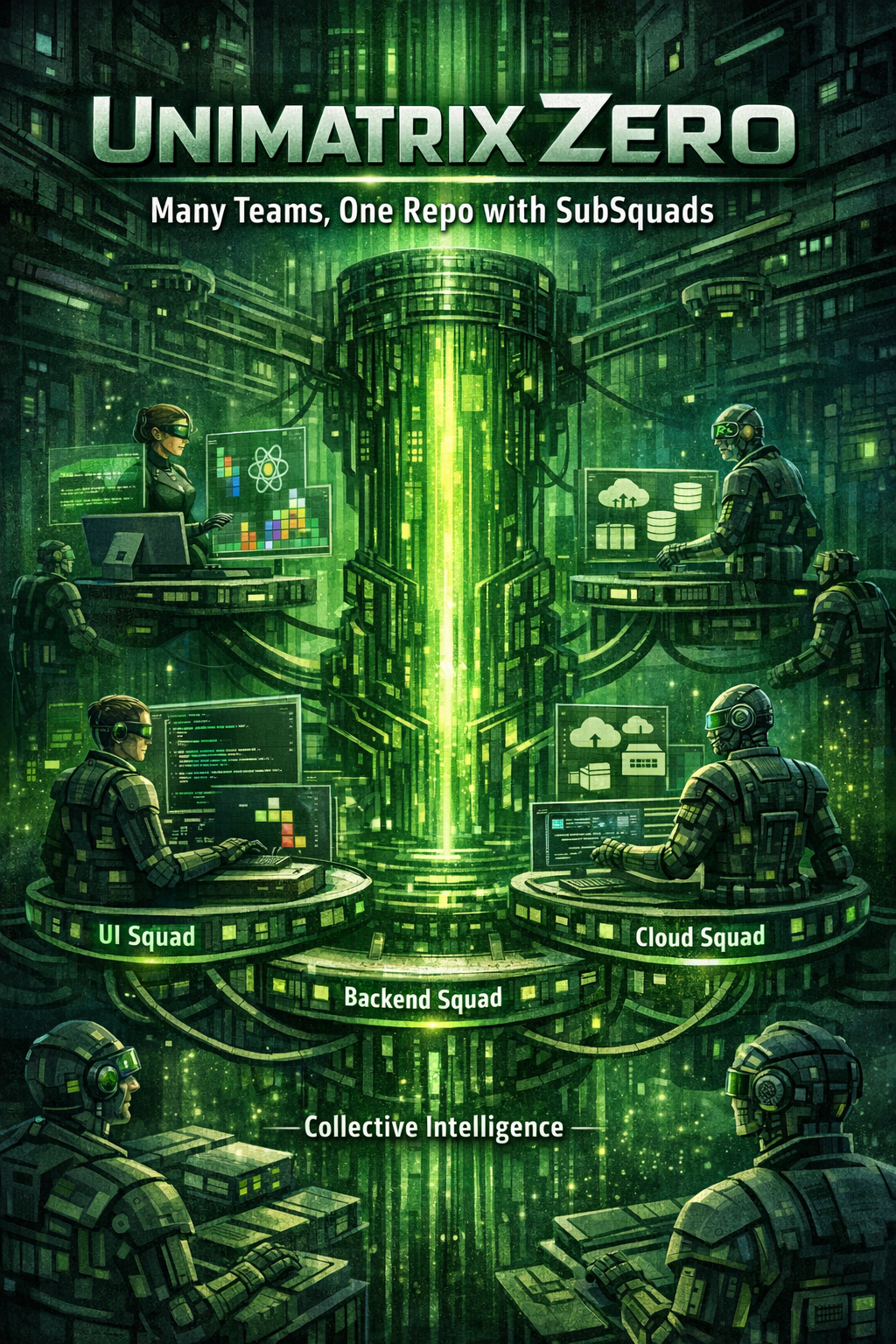 “Each SubSquad has its own identity, but they’re all part of the same collective.”
The Experiment
The repo is tamirdresher/squad-tetris — a multiplayer Tetris game built as a monorepo:
- React frontend — game board, lobby, player UI
- Node.js backend — WebSocket server, matchmaking, game state sync
- Game engine — collision detection, piece rotation, scoring (shared package)
- Azure infrastructure — Container Apps, Cosmos DB, SignalR
I created 30 GitHub issues across three teams:
| Team | Label | Issues | Focus |
|---|---|---|---|
| UI Team | team:ui | 10 | React components, game board, animations |
| Backend Team | team:backend | 10 | WebSocket server, game state, matchmaking |
| Cloud Team | team:cloud | 10 | Azure infra, CI/CD, monitoring |
Then I spun up three GitHub Codespaces, each with its own devcontainer and a SQUAD_TEAM environment variable:
1
2
3
4
5
6
7
8
{
  "name": "Squad - UI Team",
  "image": "mcr.microsoft.com/devcontainers/javascript-node:20",
  "containerEnv": {
    "SQUAD_TEAM": "ui-team"
  },
  "postCreateCommand": "npm install && squad init"
}
Each Codespace got the same deterministic crew casting (Riker as Lead, Troi on Frontend, Geordi on Backend, Worf on Testing, Picard on DevOps), but SQUAD_TEAM told each instance which issues to care about.
Three machines. Three Squad instances. One repo. Go.
What Worked
In roughly two hours, 9 issues closed with real, working code:
- A Tetris game engine with full collision detection and piece rotation (all 7 standard Tetrominos)
- A WebSocket server handling multiplayer game state synchronization
- A React game board rendering a 10×20 grid with ghost pieces and next-piece preview
- CI/CD pipelines deploying to Azure Container Apps
Branch-per-issue was followed consistently. Actual commit messages:
1
2
3
feat(game-engine): implement tetromino rotation with wall kick (#12)
feat(websocket): add room-based multiplayer with spectator mode (#18)
feat(ui): create responsive game board with CSS grid (#7)
The branch isolation meant three teams working simultaneously without their daily commits interfering. Each PR was a clean diff against main. The code wasn’t production-ready — this was an experiment — but the game engine actually detected collisions, the WebSocket server actually handled connections, the React components actually rendered Tetrominos.
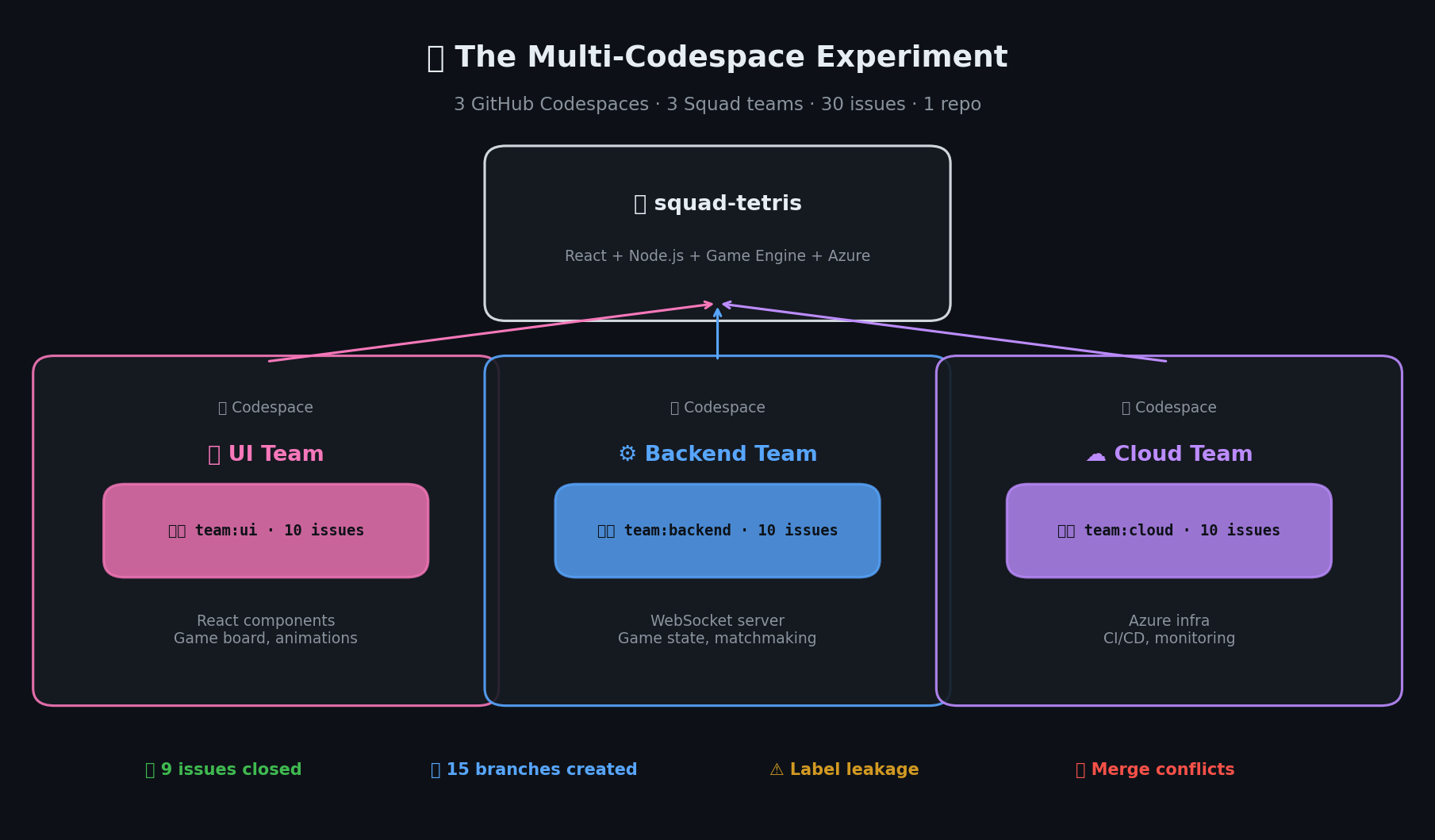 3 teams, 30 issues, 1 repo — 9 issues closed in 2 hours, plus hard lessons learned.
What Broke
And now for the honest part. Because things absolutely broke.
1. Label leakage. The Cloud team picked up a UI issue that had been mislabeled. An Azure infrastructure agent spent 20 minutes trying to build a React component. It produced a garbage PR that had to be closed. Human parallel: a mislabeled Jira ticket landing on the wrong sprint board.
2. Merge conflicts in shared packages. Both the UI and Backend teams modified packages/game-engine/src/types.ts in the same window. Neither agent knew about the other’s changes — isolated branches, no coordination. Human parallel: exactly why monorepo teams have CODEOWNERS files.
3. Branch proliferation. 15 branches created, only 6 PRs merged cleanly. Some had conflicts. Some depended on unmerged branches. Some were abandoned mid-approach. Human parallel: every team without a branch cleanup policy.
4. Codespace timeouts. GitHub Codespaces idle-timeout killed an in-progress agent task. The agent came back to a half-written file and got confused about state. I had to manually clean up and restart twice. Human parallel: your laptop dying mid-deploy.
5. Cross-team dependencies. Issue #14 (“implement game state serialization”) depended on types from Issue #8 (“create tetromino type definitions”). The Backend agent started before the UI agent merged its types, so it invented its own — subtly different. Two sources of truth for the same data model. Human parallel: the reason architecture review boards exist.
The Insight
Here’s what I realized watching this unfold: every single problem is a problem human teams face too.
The AI teams weren’t failing in novel ways. They were failing in exactly the same ways human teams fail when you put three teams on one repo without coordination guardrails.
For human teams, we solve this with swim lanes — clear boundaries around who owns what code, which issues belong to which team, how cross-team dependencies get communicated.
For AI teams, we need the same thing. That’s what SubSquads are.
SubSquads — The Solution
After the experiment, I contributed to a PR that introduced SubSquads — Squad’s answer to multi-team coordination in a single repo. (You may see the older name “workstreams” in some docs — it’s a deprecated alias. The commands and concepts are the same.)
A SubSquad is defined in .squad/streams.json:
1
2
3
4
5
6
7
8
9
10
11
12
13
14
15
16
17
18
19
20
21
22
{
  "workstreams": [
    {
      "name": "ui-team",
      "labelFilter": "team:ui",
      "folderScope": ["packages/ui", "packages/game-board"],
      "workflow": "default"
    },
    {
      "name": "backend-team",
      "labelFilter": "team:backend",
      "folderScope": ["packages/server", "packages/game-engine"],
      "workflow": "default"
    },
    {
      "name": "cloud-team",
      "labelFilter": "team:cloud",
      "folderScope": ["infra/", ".github/workflows/"],
      "workflow": "default"
    }
  ]
}
Each SubSquad defines three things:
labelFilter — Which GitHub issues this team picks up. No more label leakage. (Solves problem #1.)
folderScope — Which directories this team primarily works in. Advisory, not a hard lock — the backend team can still read from
packages/uito understand interfaces. But when creating files, agents prefer their scoped directories. (Reduces problem #2 — conflicts in shared code.)workflow — Which ceremony and decision-making workflow to use. Different teams can have different review requirements or deployment gates.
Activate a SubSquad with:
1
squad subsquads activate ui-team
Or list and check status:
1
2
squad subsquads list
squad subsquads status
Auto-detection via SQUAD_TEAM environment variable means you don’t need to manually activate. Set SQUAD_TEAM=ui-team in your Codespace’s devcontainer, and Squad activates the right SubSquad automatically. (Solves problem #3 — branches get team prefixes like ui-team/issue-7-game-board, making ownership and cleanup obvious.)
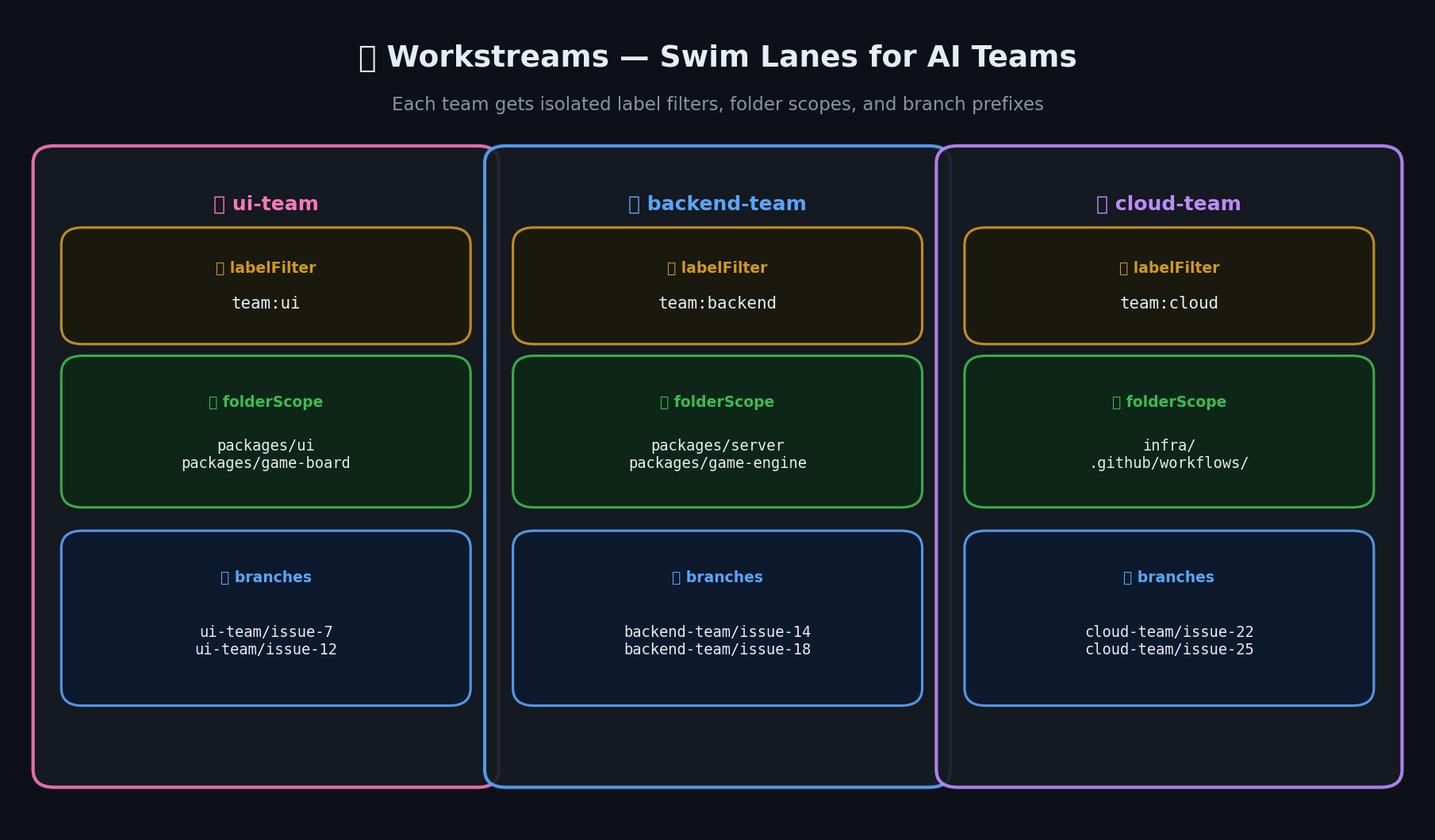 Each SubSquad gets its own swim lane: label filters, folder scopes, and prefixed branches keep teams isolated.
The Full Picture
Looking back at this three-part series, the scaling arc is clear:
One team, one repo (Part 1) — Squad gives you a coordinated AI team working in parallel. Riker leads, agents specialize, Ralph monitors.
One team, many repos (Part 2) — Upstream inheritance connects isolated teams into a collective. Knowledge flows up, decisions flow down.
Many teams, one repo (this post) — SubSquads give each team a swim lane within a shared codebase. Label filtering, folder scoping, and branch-per-issue keep teams from stepping on each other.
Together, these let you scale from “one developer trying Squad” to “multiple AI teams across multiple repos” — same framework, same Copilot CLI foundation, same Borg-themed casting system.
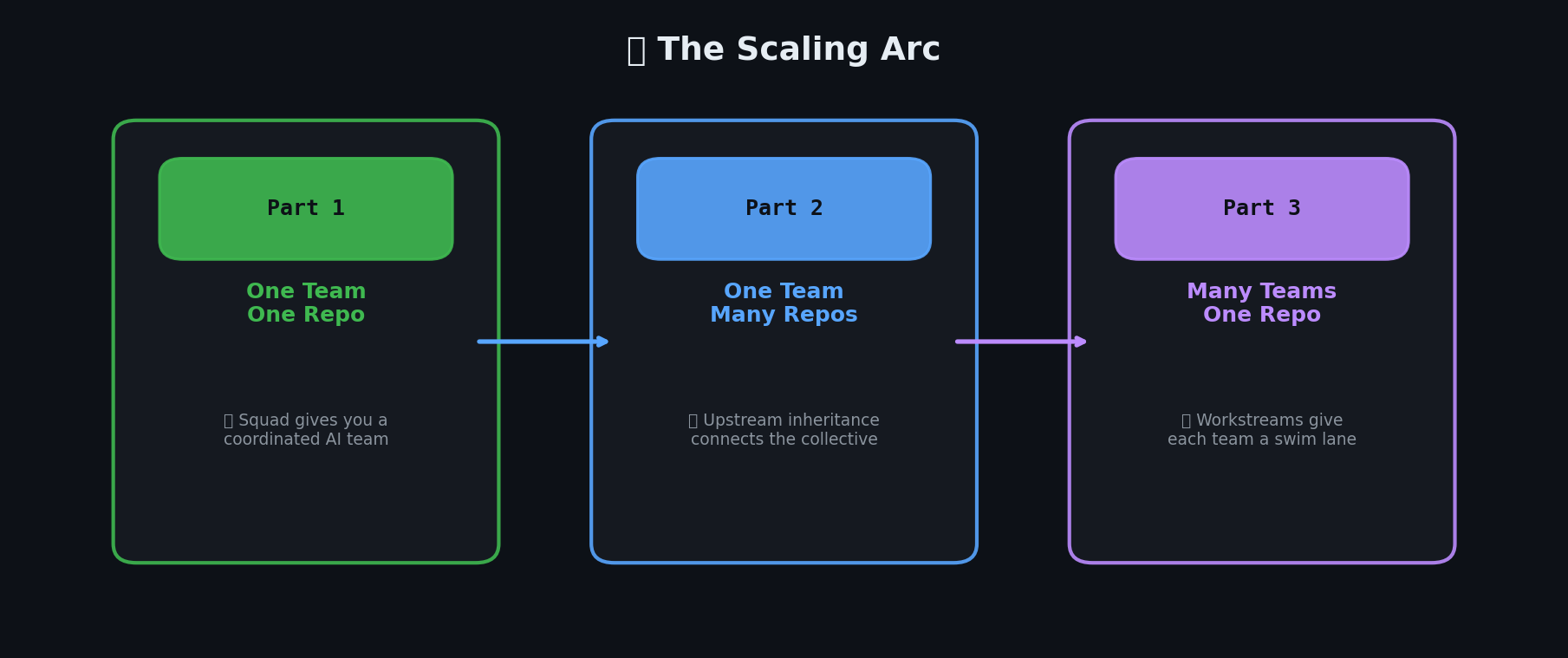 The three-part scaling arc: from one team in one repo, to shared knowledge across repos, to multiple teams in one repo.
Multi-Machine Coordination — Ralph Is Everywhere
SubSquads solved parallel work within one machine. But here’s the thing — I don’t work on one machine.
I’ve got my work laptop. A Cloud PC dev box. A home desktop. Ralph runs on each one. Three Ralphs, three machines, one repo. How do they not step on each other?
The Distributed Task Queue (It’s Just Git)
We built a distributed task system. The transport layer? Git. The message format? YAML. The worker process? Ralph.
It’s not Kafka. It’s git pull && scan && do && git push. And honestly? For an AI team of agents across machines, it works surprisingly well.
The structure lives in .squad/cross-machine/:
1
2
3
4
5
6
7
.squad/cross-machine/
├── config.json              # Per-machine settings
├── tasks/                   # Task queue (YAML files)
│   ├── blog-part3-review.yaml
│   └── sample-test-task.yaml
└── responses/               # Machine responses
    └── blog-part3-CPC-tamir-WCBED.md
A task file looks like this — no message brokers required:
1
2
3
4
5
6
7
8
9
10
11
id: blog-part3-whats-next-section
source_machine: production-main
target_machine: ANY
priority: high
created_at: 2026-03-15T14:08:00Z
task_type: review
description: "Add 'What's Next' section (~200 words) to blog Part 3"
payload:
  command: "echo 'Read blog-part2-refresh.md, write 200-word What's Next...'"
  expected_duration_min: 30
status: completed
Each machine has a config.json that declares who it is:
1
2
3
4
5
6
7
8
9
10
11
{
  "enabled": true,
  "poll_interval_seconds": 300,
  "this_machine_aliases": ["TAMIRDRESHER", "CPC-tamir-WCBED"],
  "max_concurrent_tasks": 2,
  "task_timeout_minutes": 60,
  "command_whitelist_patterns": [
    "python scripts/*", "node scripts/*", "pwsh scripts/*",
    "gh *", "git *", "echo *"
  ]
}
Yes, there’s a command whitelist. Worf would insist. You don’t let a YAML file from another machine run arbitrary code on yours.
scripts/cross-machine-watcher.ps1 is the engine. It polls every 5 minutes, pulls new tasks, checks if target_machine matches (or is ANY), validates the command against the whitelist, executes, and pushes the result back. Git pull before scan, git push after response. That’s the whole protocol.
Mutex and Ownership
On a single machine, Ralph uses a system-wide named mutex to prevent duplicates:
1
2
3
4
5
6
7
$mutexName = "Global\RalphWatch_tamresearch1"
$mutex = New-Object System.Threading.Mutex($false, $mutexName)
$acquired = $mutex.WaitOne(0)
if (-not $acquired) {
    Write-Host "Another Ralph is already running on this machine" -ForegroundColor Red
    exit 1
}
Cross-machine, the task YAML itself is the lock. Ralph claims a task by updating its status from pending to executing, adding its machine name, and pushing. If two Ralphs race, git’s merge conflict is the tiebreaker. Not elegant. Effective.
Branch names include $env:COMPUTERNAME so you can trace which machine did what: squad/591-voice-cloning-LAPTOP vs squad/591-voice-cloning-DEVBOX-GPU. When my laptop has no GPU and the DevBox does, the laptop Squad creates a cross-machine task for voice cloning inference. Ralph on the DevBox picks it up, runs the model, pushes the result. Two machines, one workflow, zero manual coordination.
The Debugging Story (Or: The Hardest Bug Was a File Extension)
I used this system for this very blog post. I pushed a task asking all machines to contribute a “What’s Next” section. The CPC machine responded within an hour. The other machines? Radio silence.
So I dug in and found four bugs. The task file was saved as .md but the watcher only scanned *.yaml — the distributed system worked perfectly, it just couldn’t see the task. The cross-machine check existed in Ralph’s code but the function was defined and never called. The config had machine aliases that didn’t match $env:COMPUTERNAME. And the watcher never ran git pull before scanning — new tasks were invisible until someone manually pulled.
We built a distributed work queue with eventual consistency across three physical machines. The hardest bug was a file extension. I’d say the real distributed systems problem is DNS, but in our case it was YAML. Why did the AI agent fail to pick up the task? Because it had commitment issues — specifically, a .md commitment when it needed a .yaml one.
Every senior engineer reading this is nodding. The theory is easy. The boring infrastructure — file extensions, config defaults, integration code that was never wired up — that’s where the real work lives.
What’s Next
SubSquads solved multi-team coordination. Cross-machine tasks solved multi-device coordination. But the experiment revealed questions that point much further ahead.
Squad Mesh — squads talking to squads. My Squad lives in tamresearch1. My team at Microsoft has twelve repos. Other teams have their own Squads. What happens when those Squads need to collaborate? Imagine Picard’s Squad detecting a Helm chart change in dk8s-platform that breaks an API contract dk8s-operators depends on. Today, Picard opens an issue and a human coordinates. Tomorrow? Picard’s Squad talks to the other repo’s Squad directly. Their lead decomposes the fix, assigns their specialists. Two Squads, two repos, zero humans in the handoff loop. The Borg had their subspace links. We’ll have ours.
A meta-coordinator — a coordinator of coordinators — could watch all SubSquads, detect cross-team dependencies like the types.ts conflict, and resolve them before they happen. Think Borg Queen, but helpful. Cross-SubSquad dependency detection could sequence issues correctly when one team’s work blocks another’s.
The Skills Marketplace. In Part 1, agents develop skills — reusable patterns captured from real work. That’s intra-squad knowledge transfer. The next step is inter-squad transfer. A marketplace where Squads publish proven patterns: “Here’s how we handle FedRAMP compliance scanning” or “Here’s our Kubernetes operator testing strategy.” Other Squads subscribe. When a skill gets updated — say, a new CVE scanning approach — every subscribed Squad gets the update automatically. Skills don’t just persist. They propagate.
Seven as a research institute. Seven’s role evolves from documentation agent to continuous environmental awareness. A daily tech news scanner monitoring HackerNews, Reddit, and X for relevant developments. But it goes further — Seven doesn’t just report news, she evaluates it against your Squad’s current capabilities. “New model released that’s 3x faster at code review — here’s a benchmark against our current setup.” Or: “CVE published affecting a dependency in three of our repos — here’s the impact analysis, already queued for Worf.”
Enterprise scale. Personal repo → team repo → Squad Mesh → enterprise. Squads at every layer. Product teams, platform teams, security teams, SRE teams — each with specialized agents. Connected through a mesh that shares relevant skills and coordinates cross-cutting work. The unit of AI adoption isn’t the model. It isn’t the prompt. It isn’t even the agent. It’s the squad.
We started with one person and a watch script. We’re heading toward organizational intelligence that compounds across every team, every repo, every sprint.
The Borg Collective assimilated entire civilizations. Your Squad Collective can assimilate your backlog. The difference is, your developers get to keep their individuality.
Resistance is futile — but collaboration is optional. Choose wisely. 🟩⬛
Check out the squad-tetris experiment repo to see the actual code, issues, and PRs from the multi-Codespace experiment.
📚 Series: Scaling AI-Native Software Engineering